
The Guide - contents
The Storyus GuideReading
For everyone - whatever your role
Arriving Your front page Who sees what Ways to read Views & bookmarksCreating
For members, admins and owners
Getting started Photos & media Journeys Streams Moments Postcards Video Essays Reflections Albums Timelines Magazines Publishing & reachJunior Mode
For guardians and their young storytellers
The idea Being a guardian What your child seesAdmin · chapter 2 of 3
Collective setup
Names, front pages, and the lists that grow but never shrink.
Admin in the header opens the collective's machine room. It's a quiet page you'll visit rarely - but two ideas on it shape everything else: the front doors, and the lists that only ever grow.
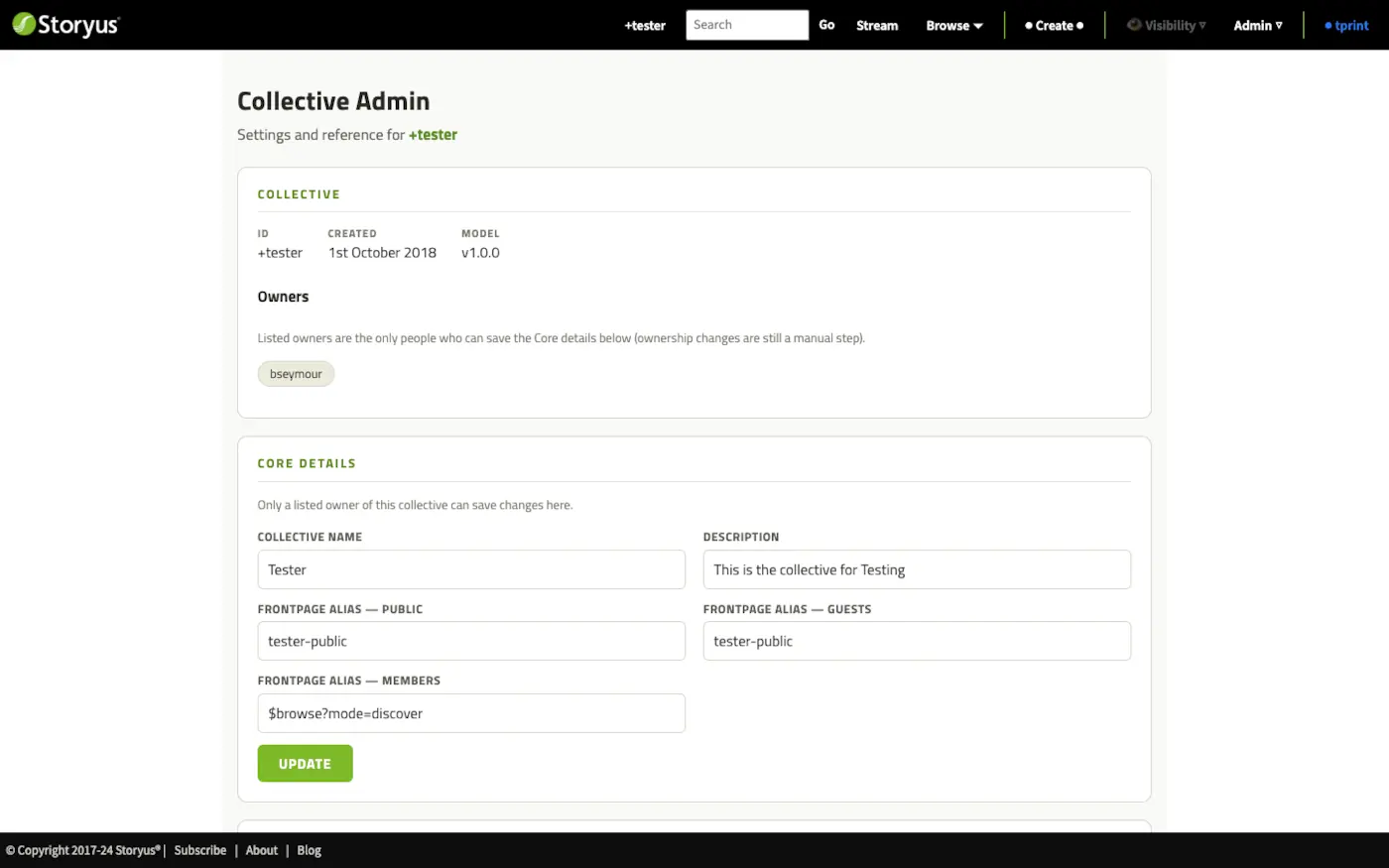
Front doors - one per audience
What happens when someone walks up to plain +yourfamily? You decide - three times over. The frontpage alias fields point the door at any aliased story or magazine, separately for members, guests, and the public. A family might give members a rule-built magazine, guests a warm welcome essay, and the public nothing at all - three true faces of the same archive.
The lists that only grow
The admin page keeps the collective's shared vocabularies: categories, subjects, story collections, image collections, media folders. One rule governs them all: add-only. Entries can be added any time, and retired ones can be archived out of the pickers - but never renamed, never deleted.
A new collective starts with five categories - Everyday, Together, Away, Milestones, Looking back - wide enough that nothing feels homeless. Add your own doors as the family's telling finds its shape; the best time to add a category is when the third story wants it.
Worth doing early
Write the description (it greets people on the way in), and check the five starter categories say what your family means by them - everything else here can wait until it's needed.
Still stuck after the guide? Help & ideas - write to us, and a person reads every message.