
The Guide - contents
The Storyus GuideReading
For everyone - whatever your role
Arriving Your front page Who sees what Ways to read Views & bookmarksCreating
For members, admins and owners
Getting started Photos & media Journeys Streams Moments Postcards Video Essays Reflections Albums Timelines Magazines Publishing & reachJunior Mode
For guardians and their young storytellers
The idea Being a guardian What your child seesReading · chapter 1 of 5
Arriving
Your account, the header, and where your collectives live.
Someone invited you, or you started an archive of your own - either way you now have a Storyus account. Signing in lands you on your front page, and from there everything happens inside a collective: a family's own private place, with its own stories, its own people, and its own front door at +its-name.
Every new account also belongs to +demos - a show-home collective where one real family trip is told in every form Storyus has. We'll use it for examples throughout this guide.
The header is home base
The black bar at the top follows you everywhere, and reads left to right the way you'll use it: the collective you're in (its +name), Search, then the two main ways in - Stream (the everyday feed) and Browse (the whole archive). After that come tools that appear only if your role unlocks them: Create for members and up, and Admin for the people running the place. Far right is you.
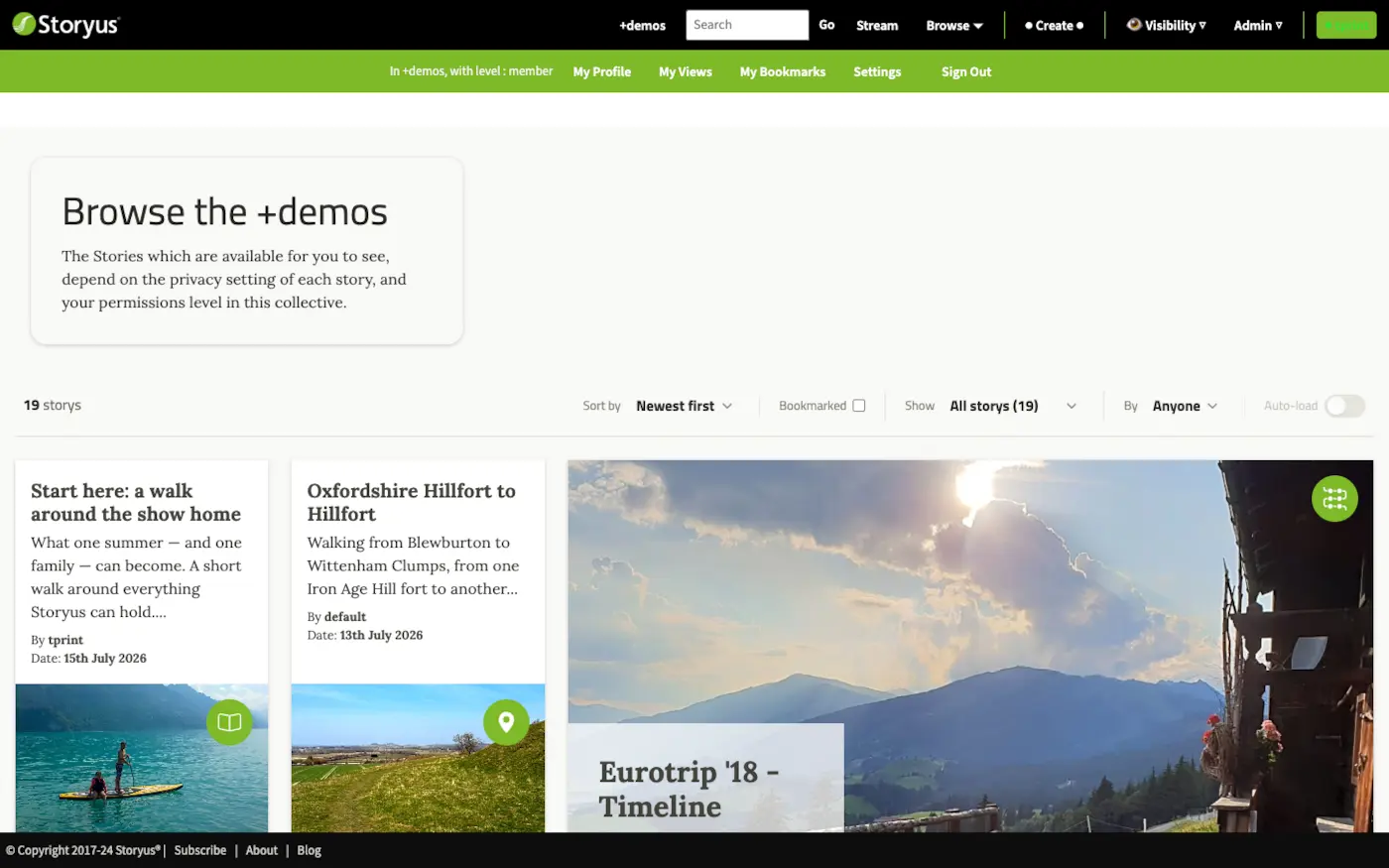
That menu is your personal layer, and it's the same in every collective: My Collectives (switch to any of your collectives, from anywhere - your default first), My Profile (your public face), My Views (a reading home that builds itself - it gets its own chapter), My Bookmarks (yours alone), Settings, and Sign Out.
You may belong to more than one
Collectives are separate worlds: your family's, perhaps a grandparent's, plus +demos. Each one gives you a role - guest, outer circle, inner circle, member, admin or owner - and your role can differ from collective to collective. The role decides two things: how much you can see (the next chapter) and whether you can create (members and up - that's the whole second track of this guide).
Try it now
Open Browse in +demos, then tap your name in the top right and read your level. Then have a look at the show-home walk - it's the inspiration to this guide's instruction.
Still stuck after the guide? Help & ideas - write to us, and a person reads every message.