
The Guide - contents
The Storyus GuideReading
For everyone - whatever your role
Arriving Your front page Who sees what Ways to read Views & bookmarksCreating
For members, admins and owners
Getting started Photos & media Journeys Streams Moments Postcards Video Essays Reflections Albums Timelines Magazines Publishing & reachJunior Mode
For guardians and their young storytellers
The idea Being a guardian What your child seesCreating · chapter 13 of 13
Publishing & reach
Privacy as an author, aliases, categories and tags, preview images, collections.
Every editor carries the same slide-out - Show EDIT Options, top right - and it's where a story stops being words-and-photos and becomes a citizen of the archive: who sees it, when it happened, where it's shelved, and what its address is. Five minutes here is the difference between a pile and a library.
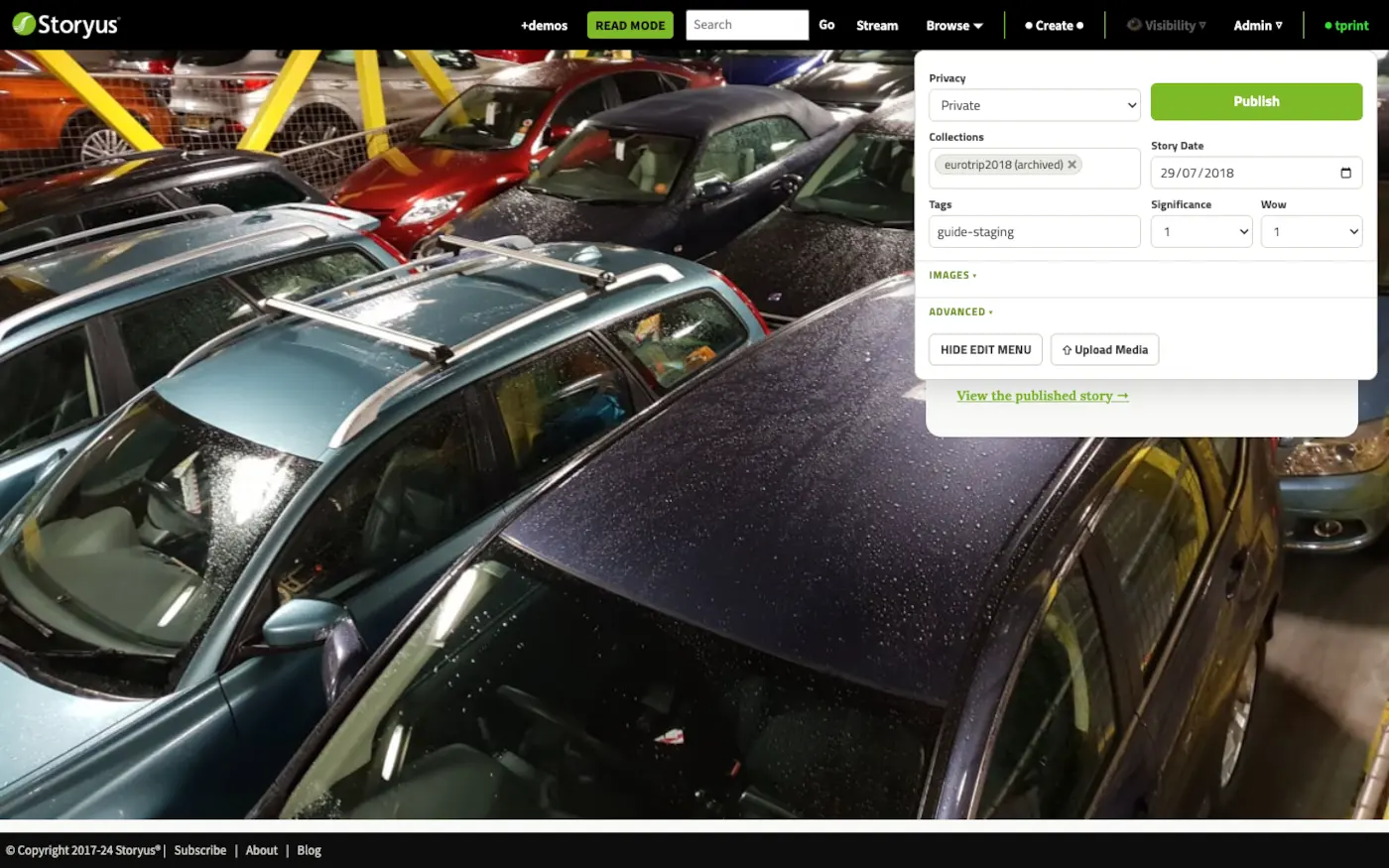
Privacy - the author's side of the ladder
You've met the ladder as a reader; now it's your dial. New stories start at your default (usually collective - your people, nobody else), and the dropdown moves one story at a time: down to private while it's half-written, up through the circles when it's ready to travel. Public is a deliberate act - and raising a story to public, guest or outer circle is reserved for members the owner fully trusts with the outside world.
Date, shelves and signals
- Story Date - when it happened, not when you wrote it. An archive should be lived-in: last summer's story belongs in last summer.
- Collections - the shelf it joins ("EuroTrip 2018"), so it appears on that collection's page with its kin.
- Categories & Subjects - the collective's doors (Everyday, Away, Looking back…) and the people it's about. Both feed Browse filters and magazine rules.
- Tags - free-form threads that cut across everything else.
- Preview image - under IMAGES, Set Preview chooses the story's face on cards and magazine fronts, when the automatic pick isn't the photo you'd choose.
The alias - giving a story its name
Under ADVANCED lives the field that turns a story from an id into an address: the alias. Set it to something human - summer-of-18 - and the story answers at +yourfamily/summer-of-18: a link you can say out loud, and the name other things hook onto. Timeline dots link to stories by it; magazines live at theirs.
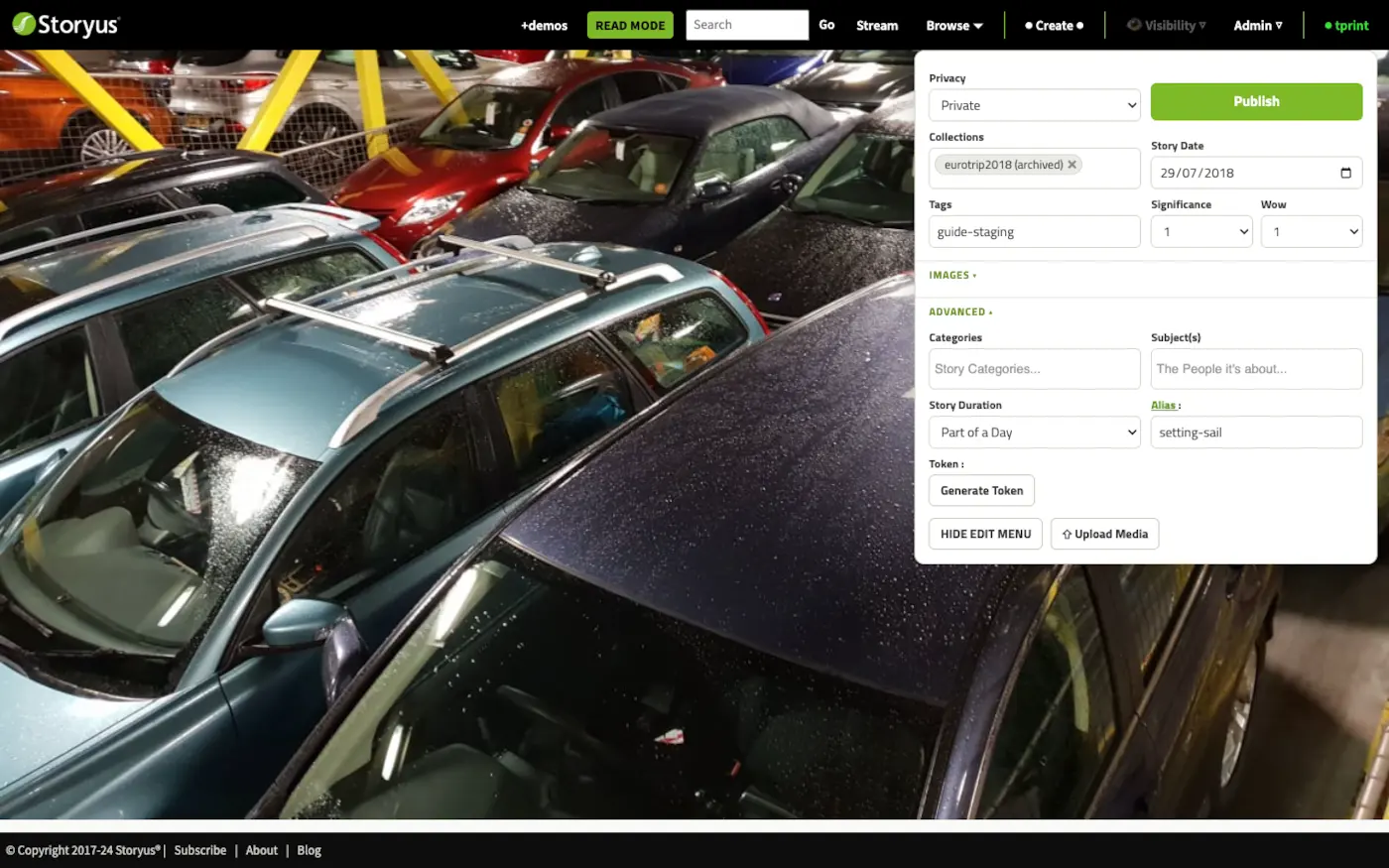
Beside it, Generate Token mints a special link for sharing a single story with someone outside the ladder - a grandparent without an account yet - without changing the story's privacy. The token can be regenerated or deleted, which quietly revokes every copy of the old link.
The track, complete
That's creating, end to end: media in, stories told in nine forms, published on your terms. If you're running the collective, the Admin track picks up from here.
Still stuck after the guide? Help & ideas - write to us, and a person reads every message.