
The Guide - contents
The Storyus GuideReading
For everyone - whatever your role
Arriving Your front page Who sees what Ways to read Views & bookmarksCreating
For members, admins and owners
Getting started Photos & media Journeys Streams Moments Postcards Video Essays Reflections Albums Timelines Magazines Publishing & reachJunior Mode
For guardians and their young storytellers
The idea Being a guardian What your child seesReading · chapter 2 of 5
Your front page
The morning paper at /@home: your family's news, your desk, and a view for every mood.
Sign in, or tap the Storyus logo anywhere, and you land on your front page - a private morning paper assembled just for you. The date, a greeting, and then the news: one prose line of what's actually happened, every name and title a link. Below it, the day's lead story from your collectives, told big, like a paper would.
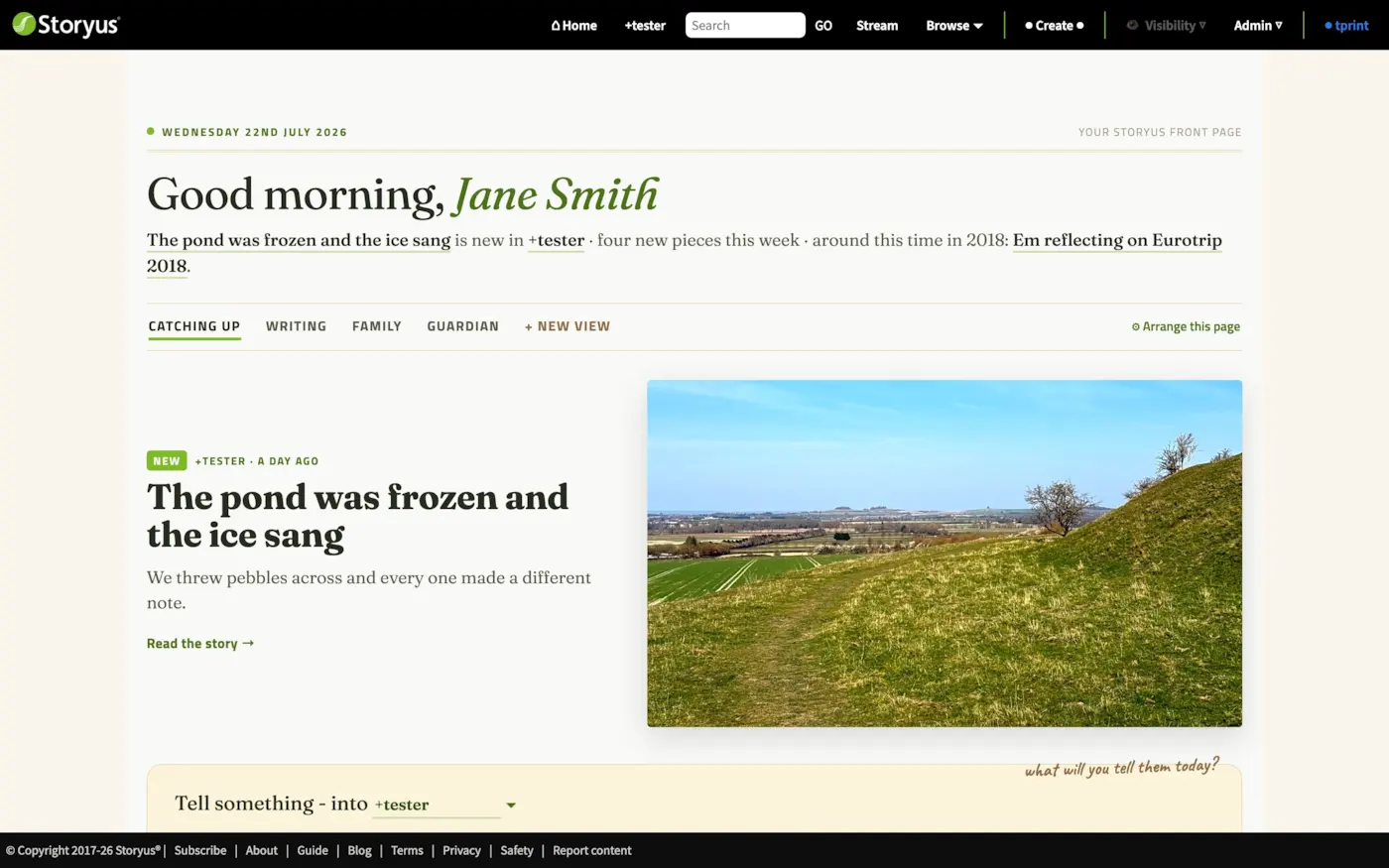
Nobody else ever sees this page. It reads from your own memberships with your own permissions - the same rules as everywhere else (Who sees what), gathered into one place.
The sections: a view for every mood
Under the greeting sit the paper's sections. Each one is a different arrangement of the same home:
| Section | What it's for |
|---|---|
| Catching up | The default. The lead story, new pieces from your people, stream lines, anything waiting on you, and an "around this time" memory. |
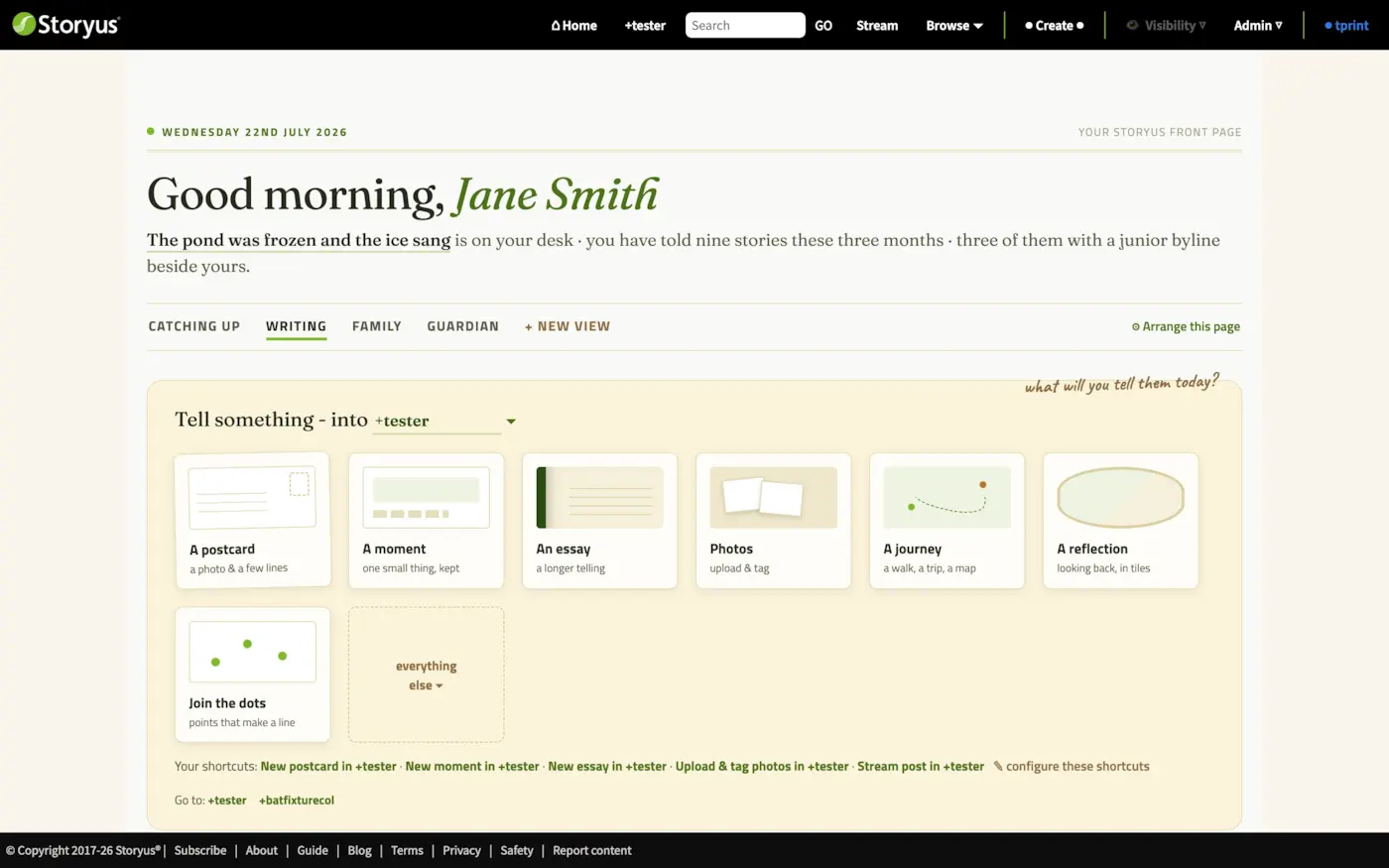
| Writing | The desk, given the whole room: every story form laid out as stationery, your unfinished pieces, and a quiet tally of what you've told lately. |
| Family | People first: pick whose goings-on you follow, and the page groups their latest work person by person. |
| Guardian | Appears only if you guard a junior author: hand the device over, and review what came back. |
| + new view | Your own arrangements - name one for a season or a project, starting from a copy of any section. |
The desk: tell something, from anywhere
Every section carries the desk: "Tell something - into +collective". Pick the collective in the sentence, tap a piece of stationery - a postcard, an essay, photos, a journey - and you're in the right composer, in the right place. The everything else drawer holds the rest of the forms.
Moving between collectives
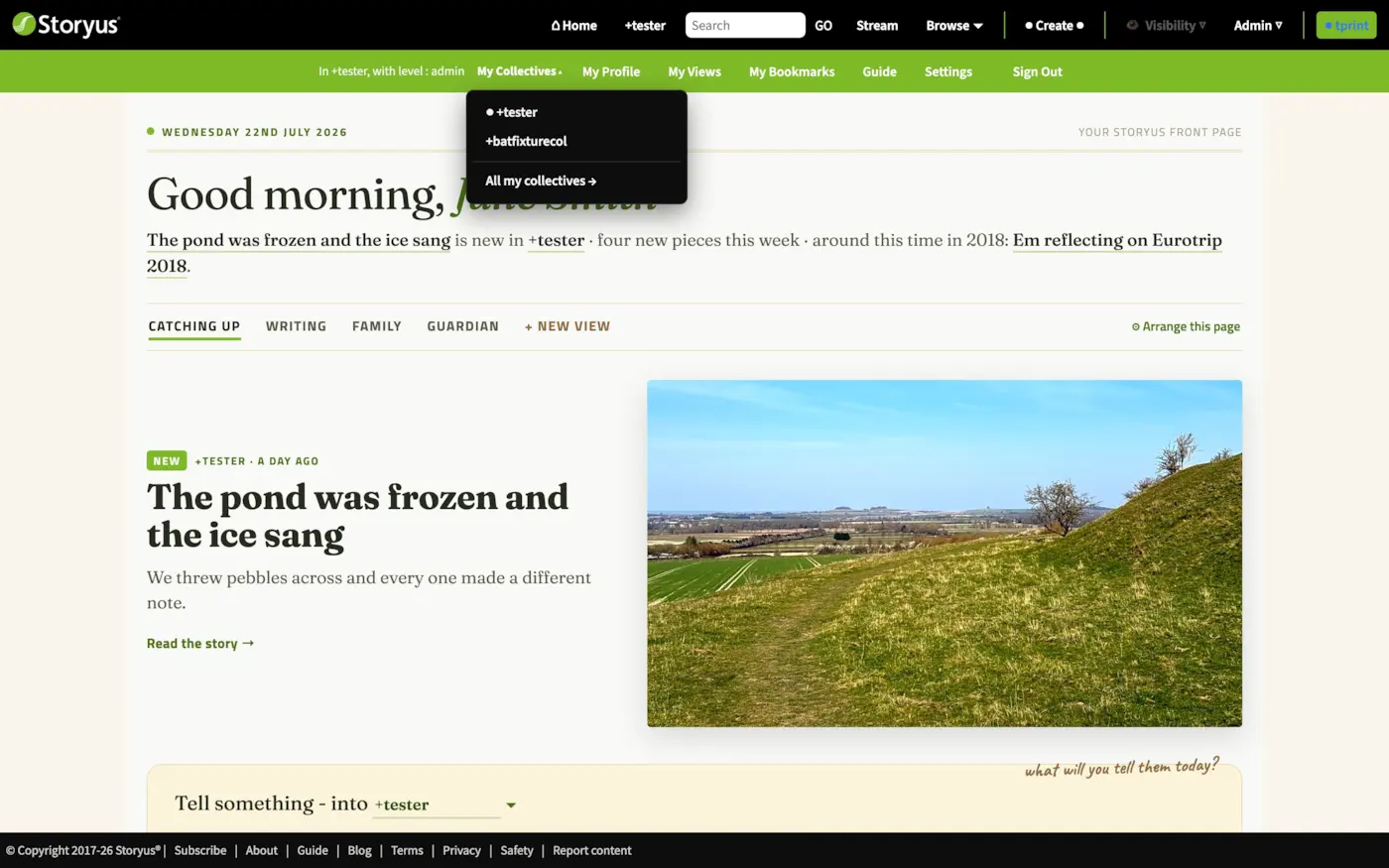
Your name at the right of the header opens the account menu, and inside it lives My Collectives: the collectives you own, plus your chosen top picks, one tap from any page. Pick which ones appear under Settings → Your collectives → In your menu.
Still stuck after the guide? Help & ideas - write to us, and a person reads every message.