
The Guide - contents
The Storyus GuideReading
For everyone - whatever your role
Arriving Your front page Who sees what Ways to read Views & bookmarksCreating
For members, admins and owners
Getting started Photos & media Journeys Streams Moments Postcards Video Essays Reflections Albums Timelines Magazines Publishing & reachJunior Mode
For guardians and their young storytellers
The idea Being a guardian What your child seesCreating · chapter 5 of 13
Moments
A single memory, kept properly.
A Moment is the smallest complete story: one photo, a title laid over it, your name underneath. Where a stream post is a remark in passing, a Moment is a memory kept - it stands on its own page, shows up in Browse and magazines, and can carry everything a big story can (a date, a category, an alias).
It's the ★ in the Create menu for a reason: when in doubt, make a Moment. You can always tell the longer version later.
Making one
- Create → Moment. You land straight in the editor.
- Tap the photo slot and pick from the library (or upload on the spot - the picker offers both).
- Click the title and type over the photo. A few words. The photo is doing most of the talking.
- Publish. Check the date and privacy in the publish panel if the moment isn't from today - that's it.
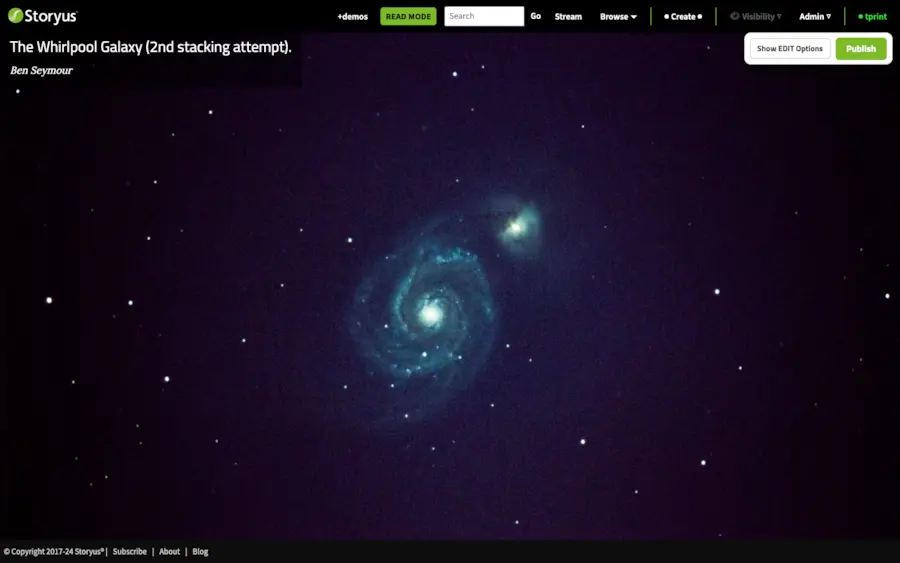
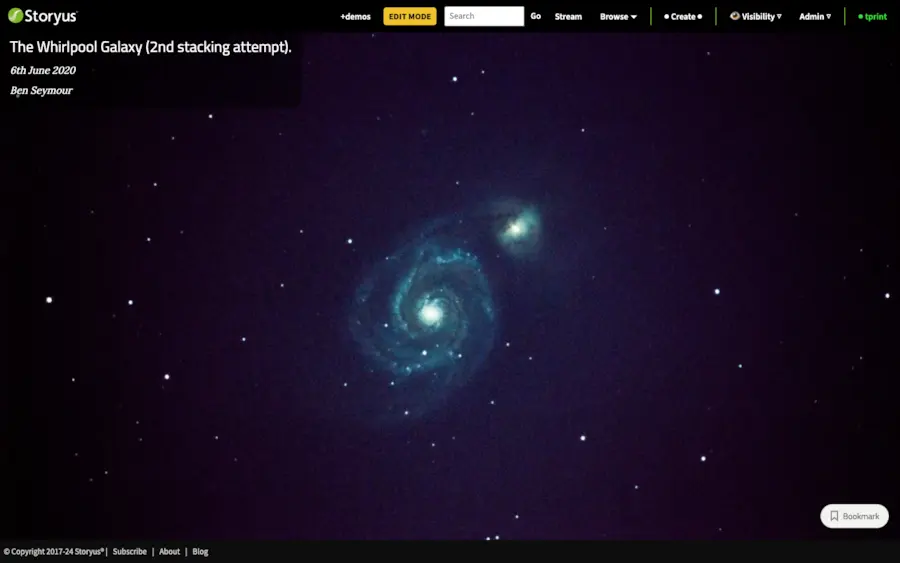
See a finished one
The Whirlpool Galaxy moment in +demos - a back-garden telescope shot that deserved more than a camera roll. That's the Moment's whole argument.
Still stuck after the guide? Help & ideas - write to us, and a person reads every message.