
The Guide - contents
The Storyus GuideReading
For everyone - whatever your role
Arriving Your front page Who sees what Ways to read Views & bookmarksCreating
For members, admins and owners
Getting started Photos & media Journeys Streams Moments Postcards Video Essays Reflections Albums Timelines Magazines Publishing & reachJunior Mode
For guardians and their young storytellers
The idea Being a guardian What your child seesJunior Mode · chapter 2 of 3
Being a guardian
Creating a junior author, handing the device over, and reviewing what comes back.
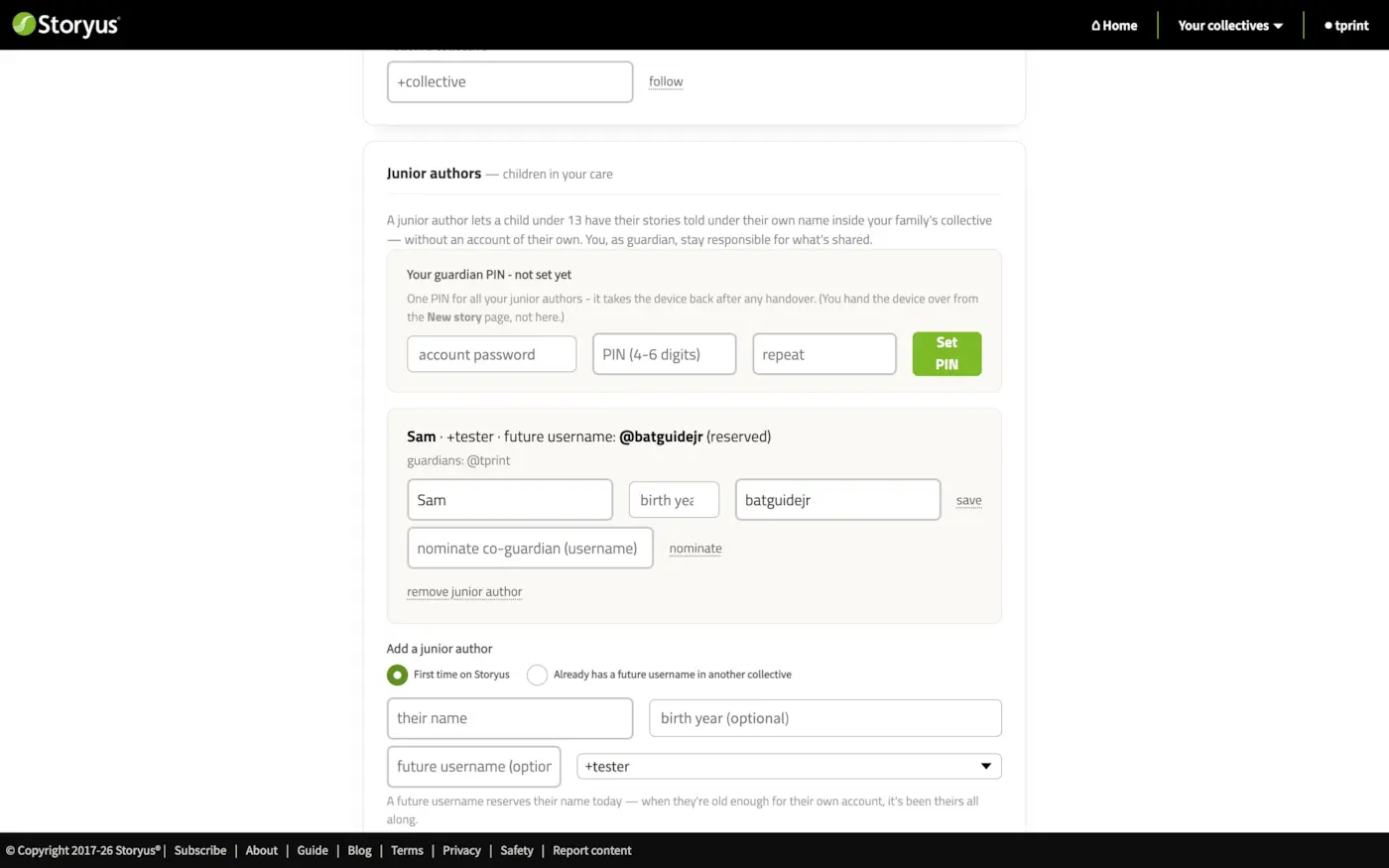
Everything a guardian needs lives in two places: Settings → Junior authors for the arrangement itself, and the Guardian section of your front page for the day-to-day. Any member of a collective can become a guardian - creating a junior author is itself the act of accepting responsibility for one.
Setting up
The add form asks one question first: is this child new to Storyus, or do they already have a future username in another collective? The split matters:
Then set your guardian PIN - one PIN, 4 to 6 digits, confirmed with your account password. It covers all your junior authors, and it's what takes the device back after any handover. Forgotten PINs reset with your password; repeated wrong guesses lock it out.
Handing over, and reviewing
The handover is deliberately physical: from the Guardian section of home (or the New story page), tap Hand to Sam and pass the device across. That device is now in Junior Mode as Sam - your phone in your pocket is untouched, because the mode belongs to the device, not your account.
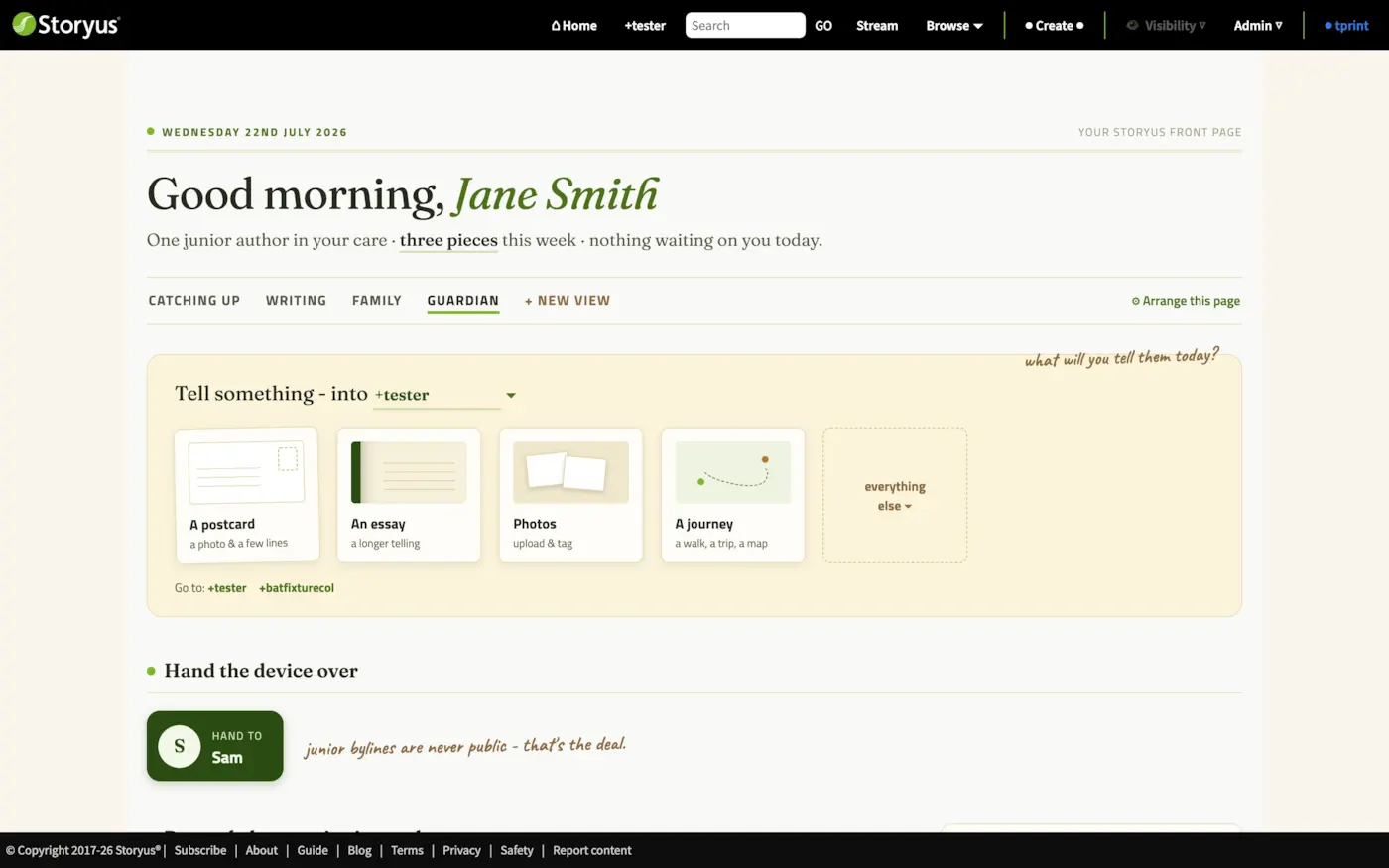
When the device comes home, the ledger shows everything recent with a junior byline: what it is, whose it is, where it lives, its visibility, and a review link into the story's own edit page. From there you can tidy, tag, adjust the date - and, if a piece deserves a wider family audience, raise its visibility.
Still stuck after the guide? Help & ideas - write to us, and a person reads every message.